Orpharion — See who reads your wp_options, then clean up safely
The wp_options table accumulates leftovers from plugins and themes that have been deactivated or deleted. Many of those rows are still autoload = yes, riding along on every page load. WordPress doesn’t ship with anything that tells you which rows are still in use, or which ones are safe to remove.
Orpharion is a GPL WordPress plugin that backs that decision with data.
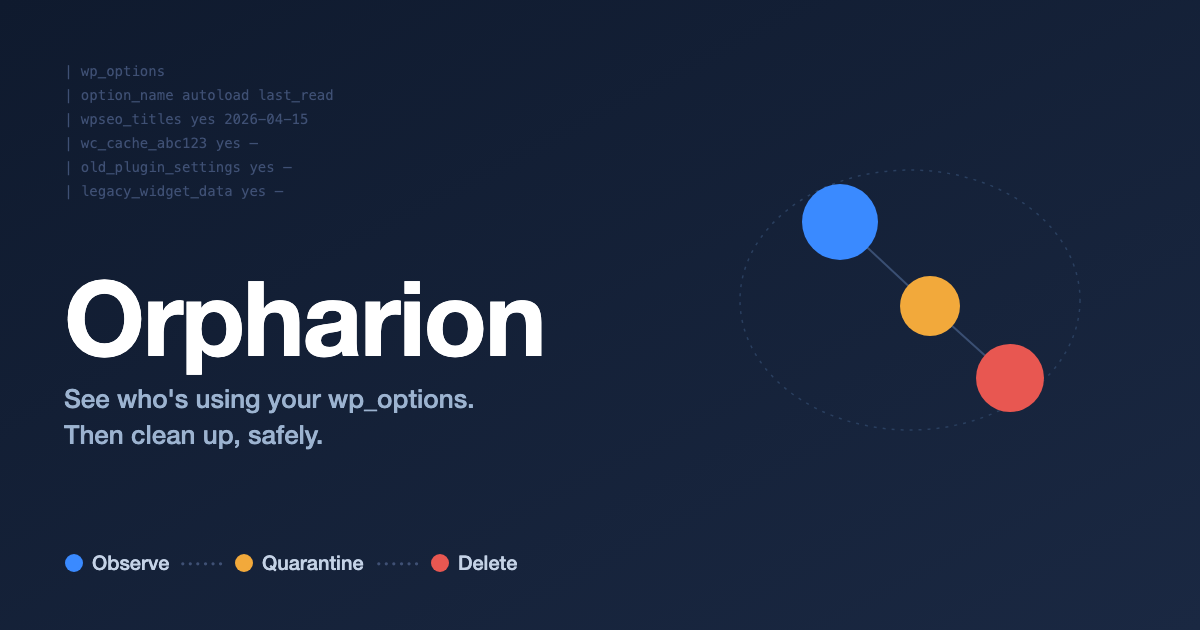
Observe → Quarantine → Delete
Orpharion’s workflow is three stages. The point is to not delete blindly.
1. Observe — record who’s reading what
Orpharion dynamically registers option_{$name} filters and walks the live PHP backtrace to attribute each get_option() call to its real caller. It records last_read_at per row and per caller — not just per alloptions bulk-fetch — so you can answer “is this option still in use, and by whom?” at the row level.
2. Quarantine — rename and watch
For rows you’re not sure about, send them to Quarantine first. Orpharion renames the row with an _orpharion_q__ prefix; WordPress core and the plugin that owned it both stop seeing it. Orpharion keeps watching the original name during quarantine, so you can see whether anyone is still trying to read it. The expiry behavior (auto-restore / auto-delete / leave) is configurable per option.
3. Delete — only what you’re sure about
The Delete button is enabled only for rows that received zero reads during the quarantine window. If you want a safety copy, use Export selected to download a JSON file in your browser — Orpharion never writes option_value content to the server’s filesystem on your behalf, because option_value can hold API keys, SMTP credentials, and other secrets you don’t want leaked into your wp-content/ snapshots.
WordPress core options are protected on both the deletion and the import side. As of 1.0.3, every protected-option check (cleaner / importer / quarantine / options-list filter) is derived from a single ProtectedOptions helper, so you can’t sneak past the safeguards with case differences or trailing whitespace.
The same flow from WP-CLI
wp orpharion list --inactive-only --accessor-type=pluginwp orpharion export --inactive-only --output=before-cleanup.jsonwp orpharion clean --inactive-only --i-have-a-backup
clean requires an explicit --i-have-a-backup flag. As of 1.1.1, export --output= only accepts a bare *.json filename and writes into wp-content/uploads/orpharion/ — absolute paths, relative paths, and other extensions are rejected. The output directory is created on first use with index.html and .htaccess, so it isn’t browseable from outside.
Performance, on purpose
Tracking is not always on:
- A 10-minute activation window opens when an admin loads the dashboard
- The frontend is never touched
- Reads are buffered in memory and flushed once per request at
shutdown(a single upsert) - The sampling rate is configurable from 0% to 100%
You can leave it on in production without dragging on the request hot path.
Try it in your browser
Orpharion ships with a WordPress Playground blueprint. The link below boots a WordPress instance with Orpharion preinstalled, entirely in your browser (no install, session-only data).
Launch Orpharion in Playground
Source & license
- Repo: github.com/mt8/orpharion
- License: GPL v2 or later
- Requires: WordPress 6.8+ / PHP 8.3+
Orpharion — wp_options を「誰が使っているか」で見える化し、安全に掃除する
WordPress の wp_options テーブルは、無効化・削除されたプラグインやテーマの設定行が残り続けがちです。多くは autoload = yes のまま毎リクエストの初期ペイロードに乗ります。標準の WordPress には「どの行が今も使われているのか」「安全に消せるのか」を判断する手段がありません。
Orpharion は、その判断を データ で支えるための GPL ライセンス WordPress プラグインです。
Observe → Quarantine → Delete
Orpharion のワークフローは 3 段階です。いきなり消さない ことに意味があります。
1. Observe — 誰が読んでいるかを記録する
option_{$name} フィルタを動的に登録し、get_option() が呼ばれたときに PHP のバックトレースから本当の呼び出し元 を特定します。alloptions(autoload まとめ読み)経由の参照ではなく、行ごと・呼び出し元ごとに last_read_at を残すので、「今も使われているか」「使っているのは誰か」を行単位で答えられます。
2. Quarantine — 隔離して様子を見る
判断に迷う行は、まず 隔離(Quarantine) に回します。Orpharion は対象行を _orpharion_q__ プレフィックス付きにリネームし、WordPress 本体や元のプラグインからは「無いもの」として振る舞わせます。隔離期間中も Orpharion はその名前へのアクセスを監視し続けるので、誰かがまだ読みに来ているか が後から分かります。期限到達時の挙動(自動復元 / 削除 / そのまま)はオプションごとに選べます。
3. Delete — 確信が持てたものだけ削除
隔離期間中にアクセスが一度も観測されなかった行に限って、削除ボタンが有効になります。万一に備える場合は、Export selected で JSON を ブラウザにダウンロード してから削除してください。Orpharion はサーバー側のファイルシステムには option_value を書き出しません(API キー・SMTP 認証情報など、wp-content/ のスナップショットに紛れ込ませたくない値が含まれることがあるためです)。
WordPress コアのオプションは、削除側でも インポート側でも 保護対象です。1.0.3 で各機能(cleaner / importer / quarantine / オプション一覧フィルタ)の保護判定を ProtectedOptions ヘルパに集約し、保護リストの単一のソースから派生させるようにしました。表記ゆれや末尾スペース付きの名前で保護をすり抜けるルートも塞いであります。
CLI で同じことを
wp orpharion list --inactive-only --accessor-type=pluginwp orpharion export --inactive-only --output=before-cleanup.jsonwp orpharion clean --inactive-only --i-have-a-backup
clean には明示的な --i-have-a-backup 確認フラグが必須です。1.1.1 以降、export --output= は wp-content/uploads/orpharion/ 配下の *.json ファイル名のみ を受け付けます(絶対パス・相対パス・他拡張子は拒否)。出力ディレクトリは初回利用時に index.html と .htaccess を同時生成するので、外部から URL で覗かれることもありません。
パフォーマンスへの配慮
監視は常時稼働ではありません。
- 管理者がダッシュボードを開いた瞬間から 10 分ウィンドウ だけ有効
- フロントエンドには干渉しない
- 各リクエストの読み取りはメモリにバッファし、
shutdownで 1 回の upsert にまとめる - サンプリングレートを 0〜100% で調整可
本番に乗せたままでも、ページ生成のホットパスを引きずらない設計です。
ブラウザでそのまま試す
WordPress Playground のブループリントを同梱しています。次のリンクからブラウザ内で Orpharion 入りの WordPress が起動します(インストール不要・データはセッション限定)。
ソース・ライセンス
- リポジトリ: github.com/mt8/orpharion
- ライセンス: GPL v2 以上
- 動作要件: WordPress 6.8+ / PHP 8.3+